
.png)











Description
Download Happy Wheels – Free, Hilarious, and Gory Browser Game
Overview
Happy Wheels is a cult‑classic web‑based arcade game that blends dark humor, rag‑doll physics, and an unapologetically gory visual style into a uniquely addictive experience. Originally launched as a free Flash title, the game has been ported to modern browsers through HTML5, ensuring that players can download or launch it instantly without the hassle of legacy plugins. The core premise is simple yet delightfully chaotic: guide a customizable character through a series of increasingly absurd levels, each filled with obstacles, timed challenges, and a healthy dose of cartoon‑style blood splatter. Whether you’re piloting a wheelchair, a segway, or a makeshift racing car, the objective remains the same—reach the finish line in one piece, or at least in a hilariously dismembered state that will leave you laughing.
What sets Happy Wheels apart from other browser games like QWOP or Line Rider is its focus on player‑driven physics. Every movement is governed by realistic (if exaggerated) forces, meaning that a poorly timed jump can launch your avatar into a wall of spikes or cause a chain reaction of limb‑detaching mayhem. The game’s dark humor is amplified by textual prompts that appear when you encounter an obstacle, urging you to press specific keys to continue. This mechanic not only adds a puzzle element but also creates a frantic rhythm that keeps players on the edge of their seats.
While the graphics are intentionally pixelated, the level of detail in the gore is surprisingly high for a browser game. Limbs fly, blood sprays, and even background characters meet grisly ends, making Happy Wheels unsuitable for younger children. However, the cartoonish presentation softens the impact, allowing adults to enjoy the shock value without feeling disturbed. Frequent updates have introduced new characters, vehicles, and community‑created levels, ensuring that the game stays fresh even after countless hours of play. In short, Happy Wheels offers a free, instantly accessible, and endlessly replayable experience that appeals to gamers looking for a mix of humor, challenge, and over‑the‑top physics.
Key Features
- Free Browser Play: No purchase required; launch directly from any modern browser.
- Customizable Controls: Keyboard bindings can be remapped to suit personal preferences, enhancing accessibility.
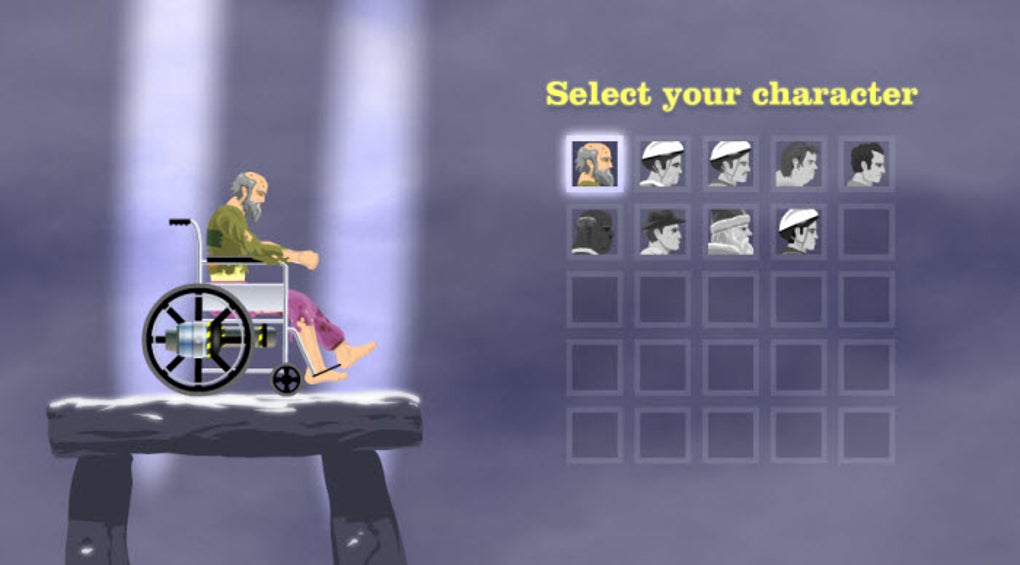
- Varied Vehicles & Characters: From wheelchairs and Segways to motorbikes and stunt cars, each with unique handling.
- Rag‑Doll Physics Engine: Realistic limb detachment and physics reactions provide unpredictable, comedic outcomes.
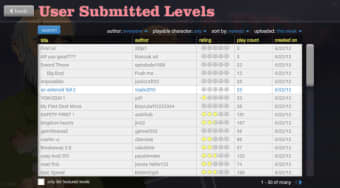
- Community‑Created Levels: Thousands of user‑generated stages keep the content fresh and diverse.
- Dark, Cartoonish Humor: Gory visuals balanced with a playful art style for mature audiences.
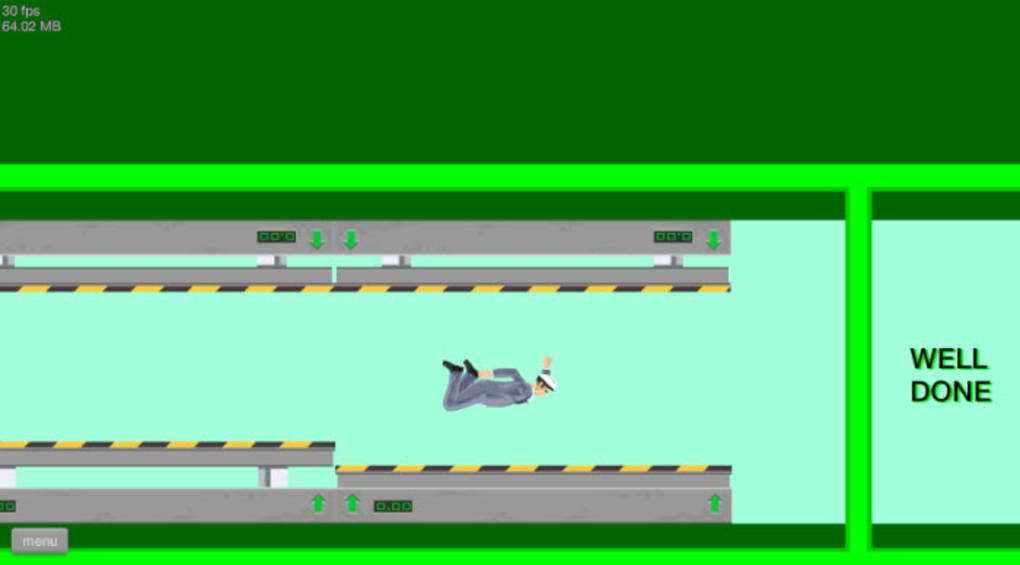
- Timed Challenges & Tasks: Each level includes specific objectives that test reflexes and problem‑solving.
- Regular Updates: New characters, vehicles, and bug fixes are released periodically.
- Cross‑Platform Compatibility: Works on Windows, macOS, Linux, and mobile browsers via HTML5.
- Replayability: Leaderboards and achievement tracking encourage repeated attempts for faster times.
Installation & Usage Guide
Getting started with Happy Wheels is intentionally straightforward. Because the game runs entirely within a web browser, there is no traditional installation process—simply navigate to the official site or a trusted gaming portal and click “Play.” For users who prefer a desktop shortcut, follow these steps:
Step‑by‑Step Installation (Optional)
- Open your preferred browser (Chrome, Firefox, Edge, or Safari) and go to the official Happy Wheels page.
- Once the game loads, right‑click on the tab and select “Create shortcut” (Chrome) or “Add to Home Screen” (Firefox/Safari) to place an icon on your desktop or mobile home screen.
- For offline play, you can use a free browser extension like “Save Page WE” to store the HTML5 version locally. Ensure you have enough storage space (approximately 30 MB).
Basic Controls
The default keyboard layout is designed for quick access:
- Arrow Keys: Move forward, backward, and steer.
- Space Bar: Jump or activate a vehicle’s special function.
- Ctrl / Shift: Perform secondary actions such as braking or activating a boost.
- Number Keys (1‑5): Switch between preset characters or vehicles if multiple are unlocked.
These controls can be customized by clicking the “Settings” gear icon in the top‑right corner, selecting “Key Bindings,” and reassigning any action to a preferred key. This flexibility is especially useful for players with accessibility needs or those who use alternative input devices.
Gameplay Tips
While the learning curve is modest, mastering Happy Wheels requires a blend of timing, patience, and a willingness to experiment. Here are a few proven strategies:
- Start Slow: Begin each level at a moderate speed to familiarize yourself with the terrain and obstacle patterns.
- Observe Text Prompts: When a warning appears, pause briefly (press “P”) to read the required key sequence before proceeding.
- Use the Environment: Leverage ramps, slopes, and moving platforms to gain momentum without excessive keyboard input.
- Practice Limb Management: In levels with heavy gore, anticipate where limbs might detach and avoid colliding with them to maintain control.
- Replay for Rankings: After completing a level, replay it to shave off seconds and climb the global leaderboards.
Compatibility, Pros & Cons
Happy Wheels is built on HTML5, making it compatible with virtually every modern operating system that supports a contemporary web browser. Below is a concise compatibility matrix:
- Windows: Chrome, Edge, Firefox, Opera – fully supported.
- macOS: Safari, Chrome, Firefox – fully supported.
- Linux: Chrome, Firefox – fully supported.
- iOS & Android: Mobile browsers (Chrome, Safari, Firefox) – playable with touch‑screen controls, though keyboard‑heavy gameplay may be limited.
Pros
- Completely free with no hidden fees or in‑app purchases.
- Instant play via any web browser eliminates lengthy downloads.
- Rich library of community‑created levels extends replay value indefinitely.
- Highly customizable controls accommodate a wide range of player preferences.
- Humorous, over‑the‑top gore provides a unique entertainment factor for mature audiences.
Cons
- Occasional frame‑rate drops or “sticking” animations on older hardware.
- Lack of official mobile‑optimized UI can make touch controls cumbersome.
- Dark, cartoonish violence may deter younger players or those sensitive to gore.
- Absence of a dedicated save system; progress relies on browser cookies.
- Keyboard‑centric design means players without a physical keyboard may find the game less accessible.
Reviewer Verdict: Happy Wheels remains a timeless, free browser title that delivers endless laughs, chaotic physics, and a thriving community of creators. Its minor performance hiccups are far outweighed by the sheer fun factor, making it a must‑play for anyone seeking a quick, humorous gaming fix.
FAQ & Conclusion
Is Happy Wheels completely free or are there hidden costs?
Happy Wheels is 100% free to play. There are no in‑app purchases, subscription fees, or paywalls. The game is supported by ads on the official site, but these can be disabled by using an ad‑blocker.
Can I play Happy Wheels on my smartphone?
Yes, the HTML5 version runs on most mobile browsers. However, the game was designed for keyboard input, so touch controls may feel less precise. Using an external Bluetooth keyboard improves the experience.
Is there a way to save my progress or favorite levels?
Progress is stored in browser cookies, so as long as you don’t clear them, your unlocked characters and favorite levels remain available. There is no cloud‑save feature, so switching browsers will reset your data.
How often are new levels or updates released?
The development team releases minor updates roughly every 2–3 months, adding new characters, vehicles, and bug fixes. Community‑generated levels are added continuously, with the most popular featured on the main page.
Is the game suitable for children?
Happy Wheels contains cartoonish gore, limb dismemberment, and dark humor. While the visual style is pixelated, the content is intended for mature audiences and is not recommended for young children.
Conclusion & Call to Action: If you’re looking for a free, instantly accessible game that combines absurd physics, dark humor, and endless community content, Happy Wheels is the perfect choice. Its low barrier to entry, customizable controls, and ever‑growing library of user‑crafted levels guarantee hours of chaotic fun. Click here to start playing Happy Wheels now and experience the mayhem for yourself!
Guides & Tutorials for Happy Wheels
How to install Happy Wheels
- Click the Preview / Download button above.
- Once redirected, accept the terms and click Install.
- Wait for the Happy Wheels download to finish on your device.
How to use Happy Wheels
This software is primarily used for its core features described above. Open the app after installation to explore its capabilities.
User Reviews for Happy Wheels 0
No reviews found




